
VR / AR Architectural Presentations
Hand your client a Oculus headset and let them stand in their own living room before a single wall goes up. Full-scale, immersive walkthroughs that close deals and prevent expensive change orders.
The Closest Thing to a Built Building That Doesn't Exist Yet
Oculus · Blender · SketchUp
No screen. No pointer. No "imagine this at full scale." Your client puts on the headset, stands in the entry of their home, and looks around — at full human scale, in full three dimensions, with real materials and real light.
Thorpe Studios brings the Oculus to your presentation. It's a standalone headset — no cables, no PC required. We arrive, load the model, hand them the headset, and the project becomes real. That moment changes the dynamic of every presentation it happens in.
This is not a feature we added to stay current. It's a capability we built because we've seen what happens in a room when a client finally understands the scale of what they're building — and how many expensive late-stage design changes it prevents.
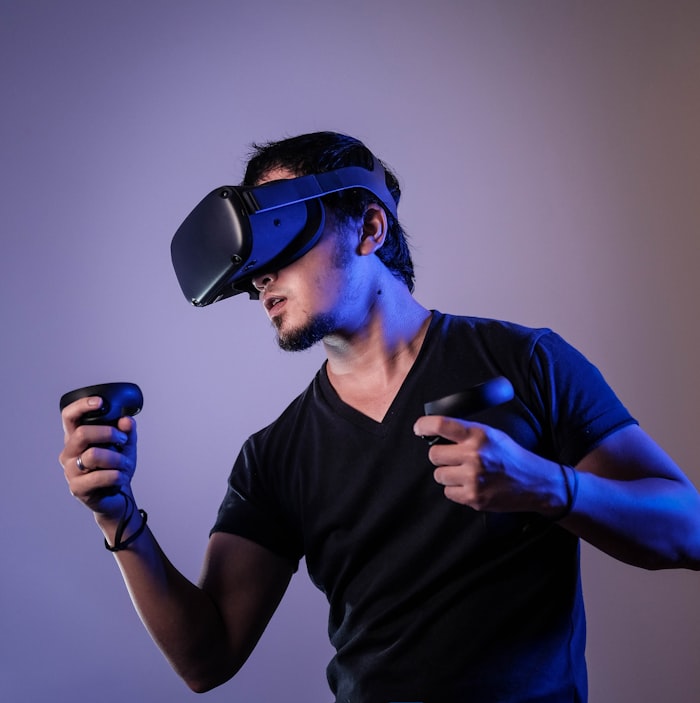
Full Scale
On-Site
I come to you — San Diego and Orange County
No Cables
Standalone Oculus — works anywhere, no setup required
VR vs. AR — Which Is Right for Your Project?
Both are available. They serve different purposes.
VR Walkthroughs
Virtual Reality
Full immersion — your client sees only the 3D environment. Best for interior walkthroughs, spatial decision-making, and client approvals where experiencing the scale and flow of spaces is the goal.
- Full-scale interior and exterior walkthroughs
- Interactive — client controls their own movement
- Ideal for design approvals and client presentations
- Dramatically reduces late-stage change orders
AR Visualization
Augmented Reality
Digital overlaid on real — your client sees the 3D model placed in the real world. Best for site visualization, neighborhood context, and presentations where the relationship between the project and its surroundings matters.
- Place the virtual building on the actual site
- Ideal for site context and massing review
- Useful for planning board submissions
- See the project in its real-world setting
Who Gets the Most Value from a VR Presentation
VR isn't the right tool for every project. It's the right tool for situations where the gap between what your client imagines and what you're designing needs to close — fast.
- Architects presenting complex spatial designs where floor plans and elevations don't fully communicate the experience of the space
- Luxury custom home builders working with clients who are investing $1.5M+ and deserve to experience what they're buying before construction begins
- Developers who need investors or buyers to emotionally connect with a project that exists only on paper
- Interior designers who need clients to approve finish packages and furniture arrangements in actual three-dimensional space, not a floor plan printout
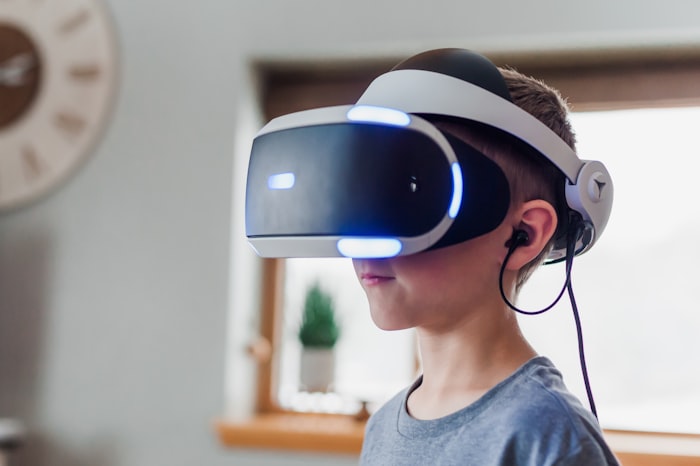
How It Works
A clear, predictable process from your drawings to a finished model.
01
3D Model Build
If you don't already have a model, I build one from your drawings. If you do, I optimize it for VR — materials, scale, and performance all dialed in.
02
VR Environment Setup
The model is prepared for VR: materials optimized for real-time rendering, lighting calibrated, and interactive navigation implemented
03
Preview & Calibration
I run a preview session to confirm the experience is ready. Scale, materials, and lighting are finalized before your client meeting.
04
On-Site Presentation
I arrive at your location with the headset loaded and ready. I run the session and handle any technical questions while you run the meeting.
Frequently Asked Questions
How does a VR architectural walkthrough session run?
A VR architectural walkthrough is a fully immersive, interactive experience where your client puts on a Oculus headset and physically walks through a photorealistic 3D model of their unbuilt project at full scale. They can look in any direction, walk through rooms, and experience the space as they would in real life — before a single wall goes up.
What headset do you use?
I use the Oculus (current generation) for all VR presentations. It's a standalone headset — no cables, no PC required — which means I can bring it to your office, a job site, or a client meeting anywhere in San Diego or Orange County. The experience is high-quality, comfortable, and requires no prior VR experience from your client.
Can you come to my office or client site?
Yes. I'm available for on-site VR presentations anywhere in San Diego County and Orange County. The Oculus is self-contained — I bring the headset, load the model, and run the session. A typical presentation runs 30–45 minutes including setup. Contact me to check availability for your location and date.
Should I choose VR or AR for my presentation?
VR (virtual reality) replaces your view entirely — you see only the digital model, at full scale. AR (augmented reality) overlays digital content on your real-world view, so you can see a virtual building sitting on an actual site or room. VR is ideal for interior walkthroughs and spatial decisions. AR is ideal for site placement and contextual visualization.
How does a VR walkthrough compare to a fly-through animation?
A fly-through is a pre-rendered video — your client watches the camera move on a screen. A VR walkthrough is interactive — your client controls where they look and where they go. The difference in client engagement is significant. Most clients who experience VR for the first time describe it as the moment the project became "real" to them.
Can VR presentations help close design decisions faster?
Yes — and that's one of the biggest practical arguments for VR. Clients who can walk through a space at full scale make design decisions faster and with more confidence. That means fewer change orders, fewer revision rounds, and shorter approval cycles. The cost of a VR session often pays for itself the first time it prevents a late-stage design change.
How realistic is the VR environment?
I build VR environments using the same 3D models and material libraries I use for photorealistic rendering — so the quality is high. Materials, lighting, shadows, and finishes are all represented accurately. The experience isn't a rough preview. It's a presentation-ready environment your client will want to talk about.
Is VR available for commercial projects or only residential?
VR presentations are available for any project type — residential, commercial, hospitality, or mixed-use. My current portfolio is primarily high-end residential, but the process is the same regardless of project type. If you have a project and want to know whether VR is the right tool, reach out and I'll give you a direct answer.
Ready to hand your client a headset and watch the conversation change?
Tell me about your project, your presentation date, and where you're meeting. If you're in San Diego or Orange County, I'll bring the rig to you.
More VR and AR questions?
Pricing, turnaround, service areas, revision rounds, and what happens when a design changes mid-project — all answered on the full FAQ page, alongside modeling, rendering, animation, and BIM.